📖 Server Wiki
Everything you need
to know.
Guides, rules, and reference pages for Shadowcraft. This page is a placeholder — content gets added here as the server grows.
Chest Shops
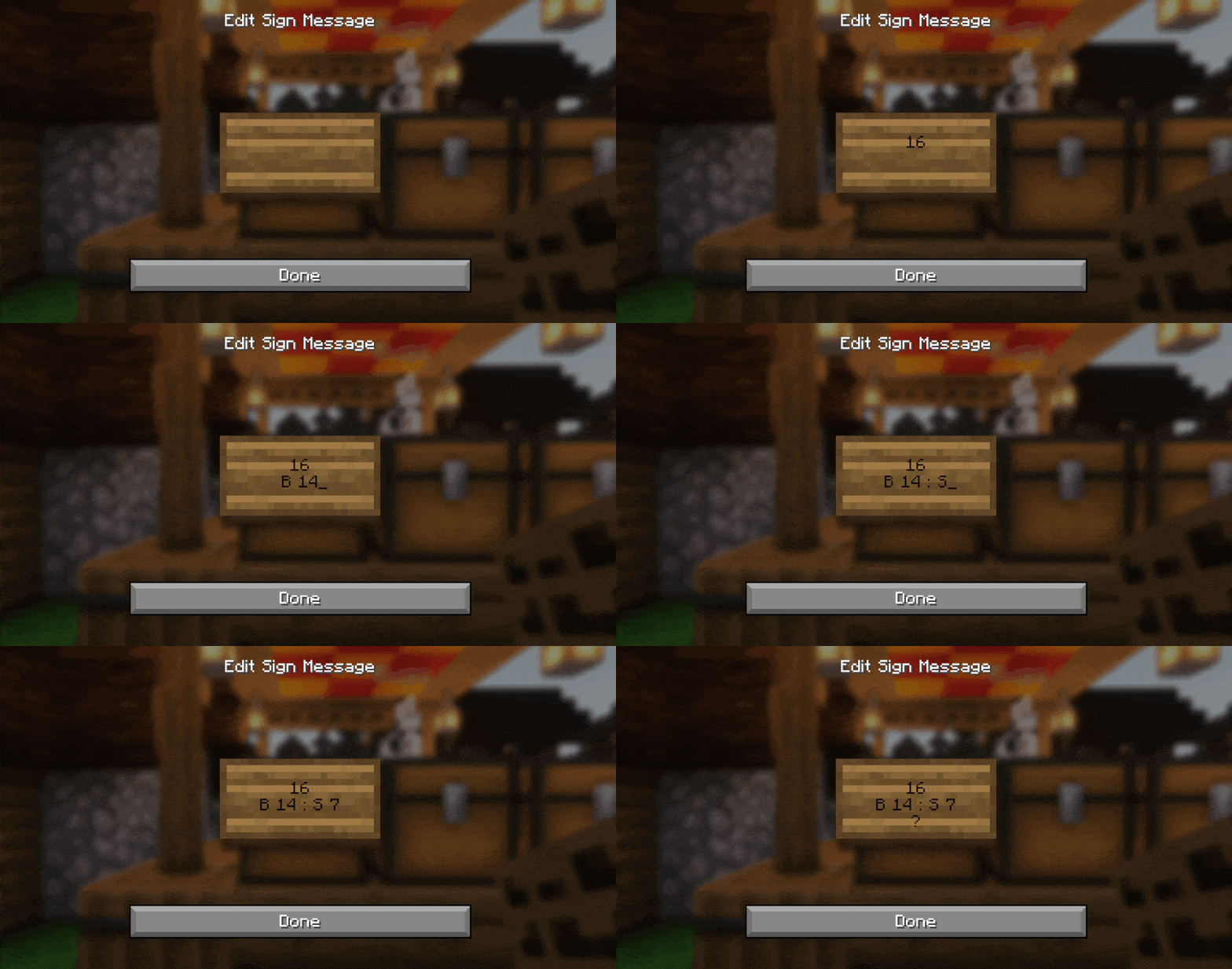
Want to buy or sell items directly from a chest? Place a chest, put a sign on it, and write these four lines:
- Line 1 — Leave it blank, or put your username to make it a personal shop only you can restock/edit.
- Line 2 — The amount of the item per transaction.
- Line 3 —
Bif you're buying from other players, orSif you're selling to them, followed by the price. For example:B 100orS 250. - Line 4 — The item's ID/name (e.g.
DIAMOND), or just?to have the shop use whatever item is already sitting in the chest.
Example sign:
(blank)
64
B 100
DIAMOND
That sign would buy diamonds from players in stacks of 64, paying 100 each.
Selling Items (SellGUI)
Don't want to set up a shop? You can sell straight from your inventory through a menu instead.
/sellguior/sell— opens the sell menu./sellall— previews selling every sellable item in your inventory at once./sellall confirm— confirms and completes that sale./autosell— toggles automatically selling priced items as you pick them up.
Prices here are set by the server and won't always match what player chest shops are offering, so it's worth checking both if you're after the best deal.
Crafting Recipes
Custom and modified recipes added by the server's datapack — some of these differ from vanilla Minecraft.
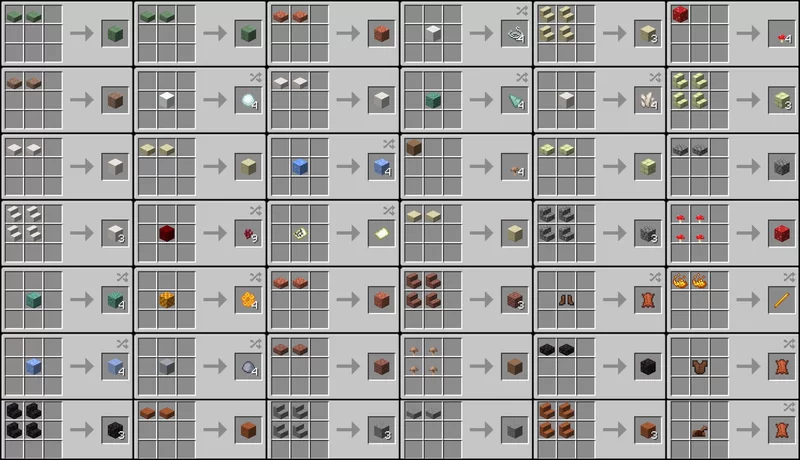
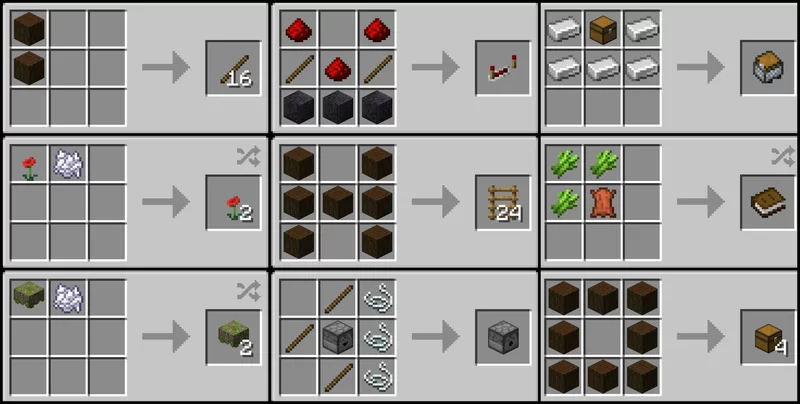
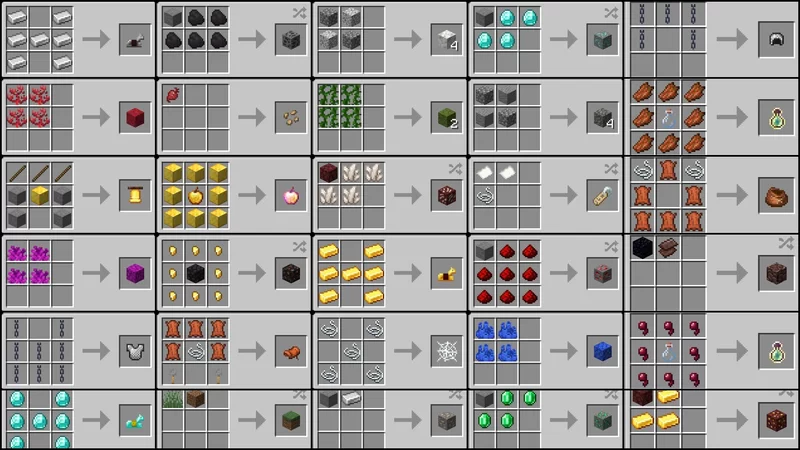
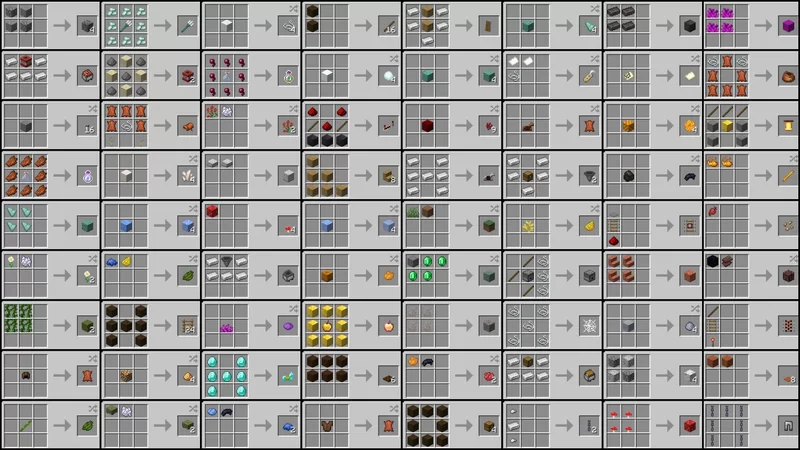
Some recipes may not work as this datapack is a little outdated.